Every student, every branch, every year.
One student list for the whole school, with each student's classes kept session by session. Bring in the Excel file you already have, admit new students in under a minute, and move a whole section up at year end.
The list
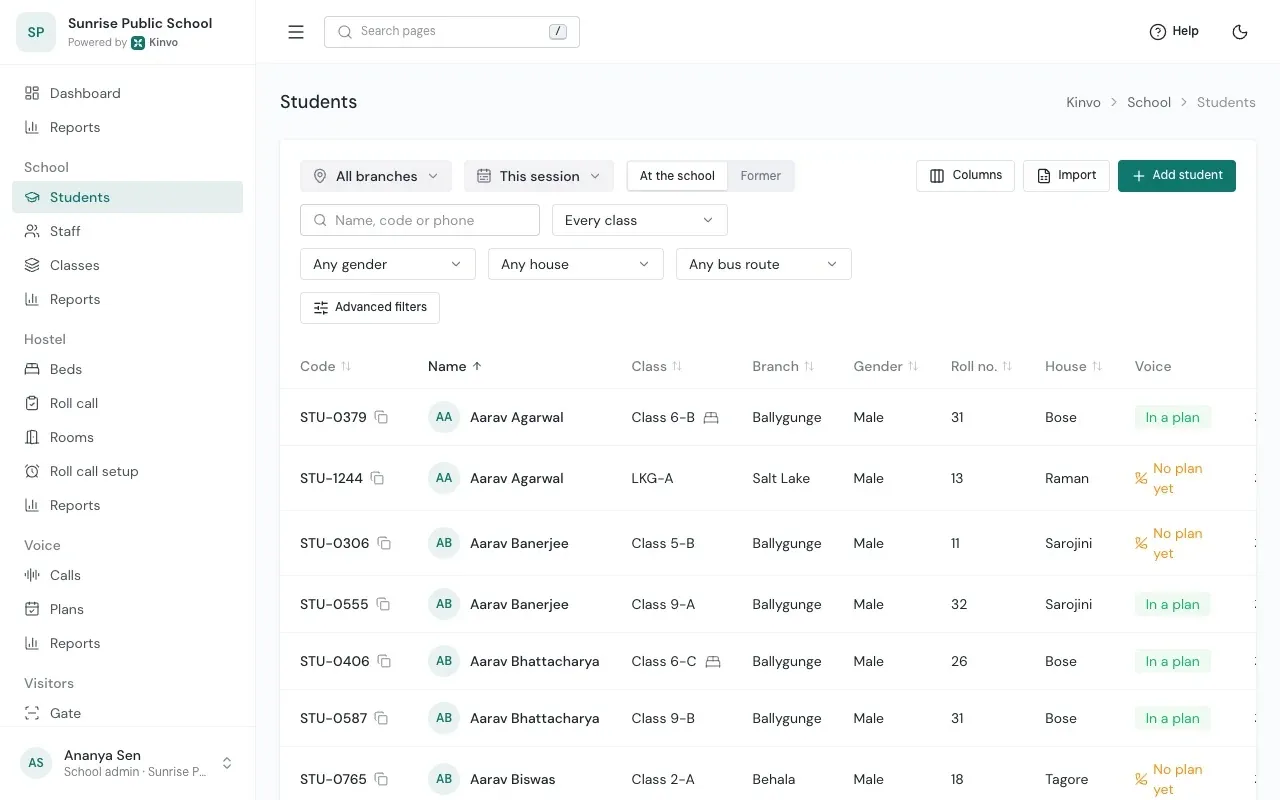
Find anyone by name, code or a parent's number.
Search finds a student by part of their name, their student code or any family number. Filter by branch, session, class, current or former, and your school's own details such as house or bus route.
- Your columns, kept
- Choose which details show and in what order, including your own fields. Kinvo remembers them for you.
- Past years, as they were
- Pick an earlier session to see that year's classes. Former students stay one filter away.
- A student at a glance
- Tap a row to see their card beside the list, or open their full page.
- More than one board
- Classes are grouped by board, such as CBSE and WBBSE, in the same school.
Import from Excel
No template. Your own columns.
Drop your Excel or CSV file. Kinvo reads your headings, guesses which detail each column holds and lets you correct it. Then every row is checked exactly as adding one student would be.
Where they go
Branch, board, and whether class and section come from the file, one class or one section.
Your file
Excel (.xlsx) or CSV, first row as headings.
Match columns
Change a match, mark a detail as not in the file, or fill it in on the page.
Review
Problems show on the cell itself. Fix them right there and check again.
Import students · Match columns
3 of 4Review · 2 rows to fix
Headings and rows from Kinvo's own import test files.
Safe by design
An import never half-happens.
- All or none
- When every row passes, all the students are added together. Until then, none are.
- Duplicates caught
- By student code, by the same name with the same family mobile, and within the file itself.
- Nothing left out by mistake
- Columns the import does not use are named, so you see what is being skipped.
- Class names that fit the board
- "Class 5" or "5" for CBSE. A class of another board is pointed out on its cell.
A student's page
Everything about one student.
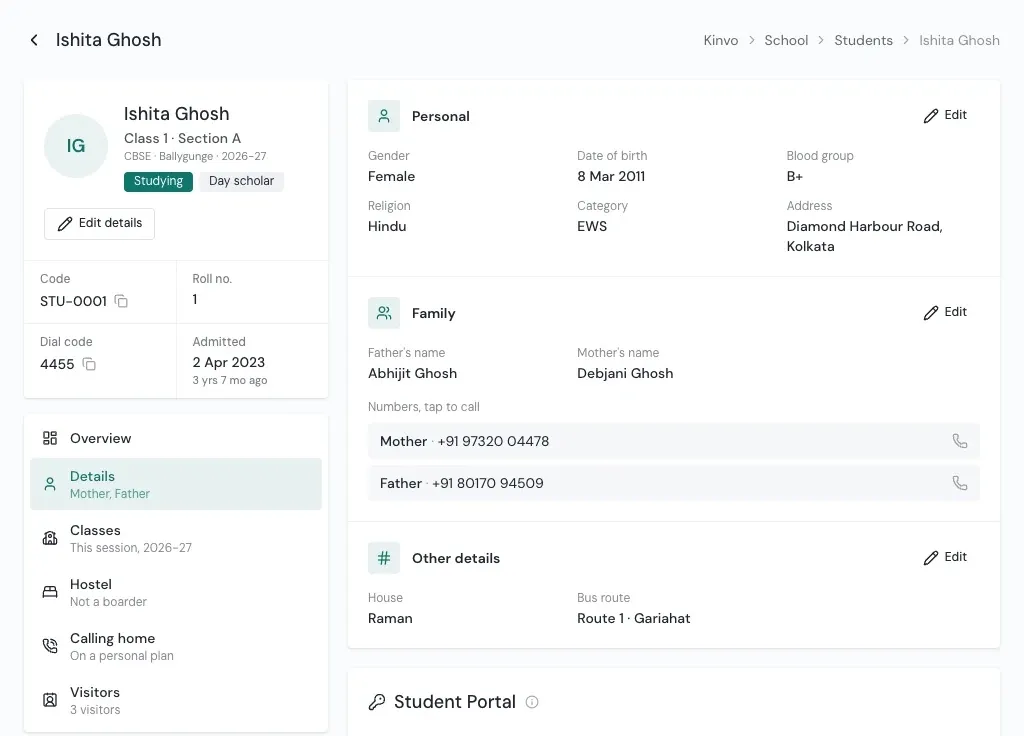
Their card with class, board, branch and session, Studying or left, Boarder or Day scholar, and the four facts the office looks up most: code, roll number, dial code and admission date.
- Overview shows how they are doing for a day or a month, one card for each part of Kinvo your school has.
- Details holds family numbers you can tap to call, your own fields, and their Student Portal sign-in.
- Classes lists every class they have been in, session by session.
Year end
Promote a whole section at once.
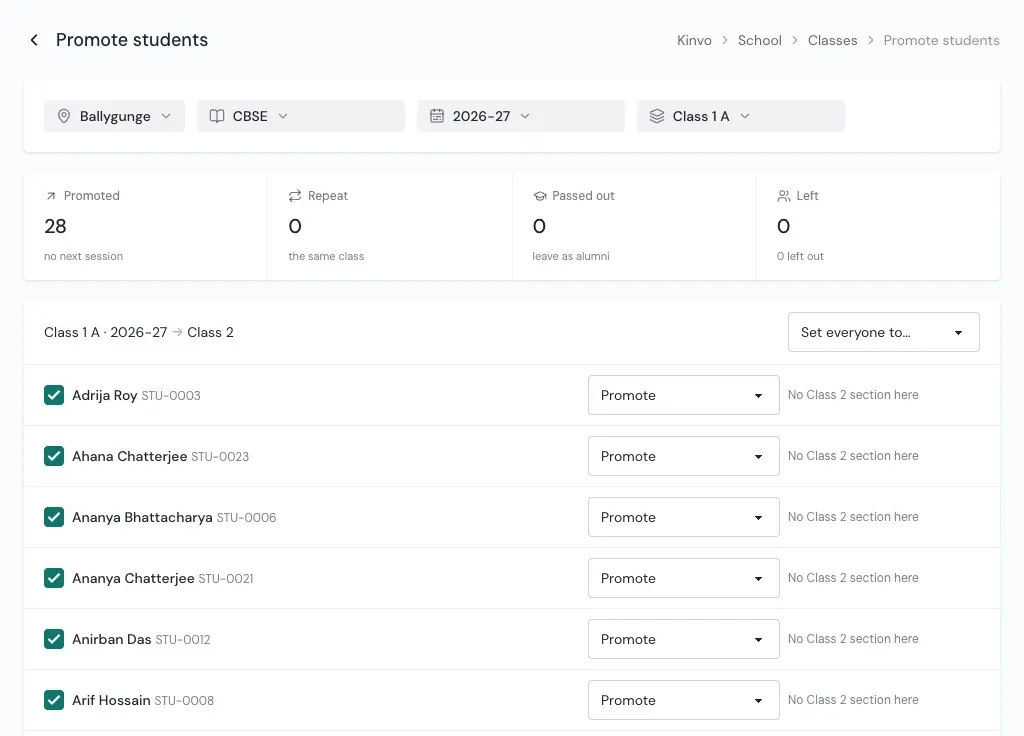
Pick the session they finished and their section. Each student comes with a suggestion: the next class in the same section letter, or Passed out from the board's last class. Change the few who differ, check the totals, and confirm.
- Four outcomes: Promote, Repeat the class, Passed out, Left.
- Last session's class is only closed, so its register still reads as it was.
- During the year, move one student to another section or branch from today. Their hostel bed and calling plan follow.
Set up once
Boards, sessions, sections and your own fields.
Boards and sessions
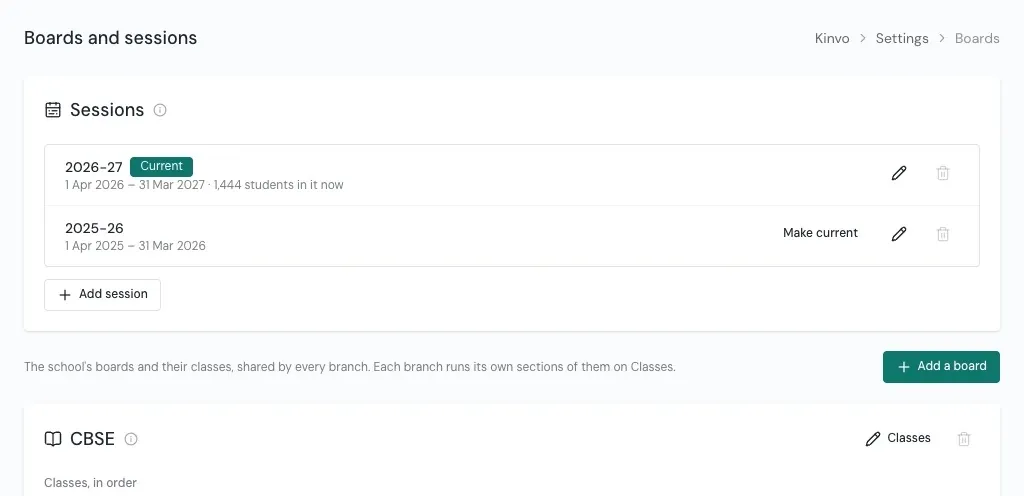
One list of sessions, such as 2026-27 from 1 April to 31 March. Each board has its ladder of classes, Nursery to Class 12 or whatever you teach.
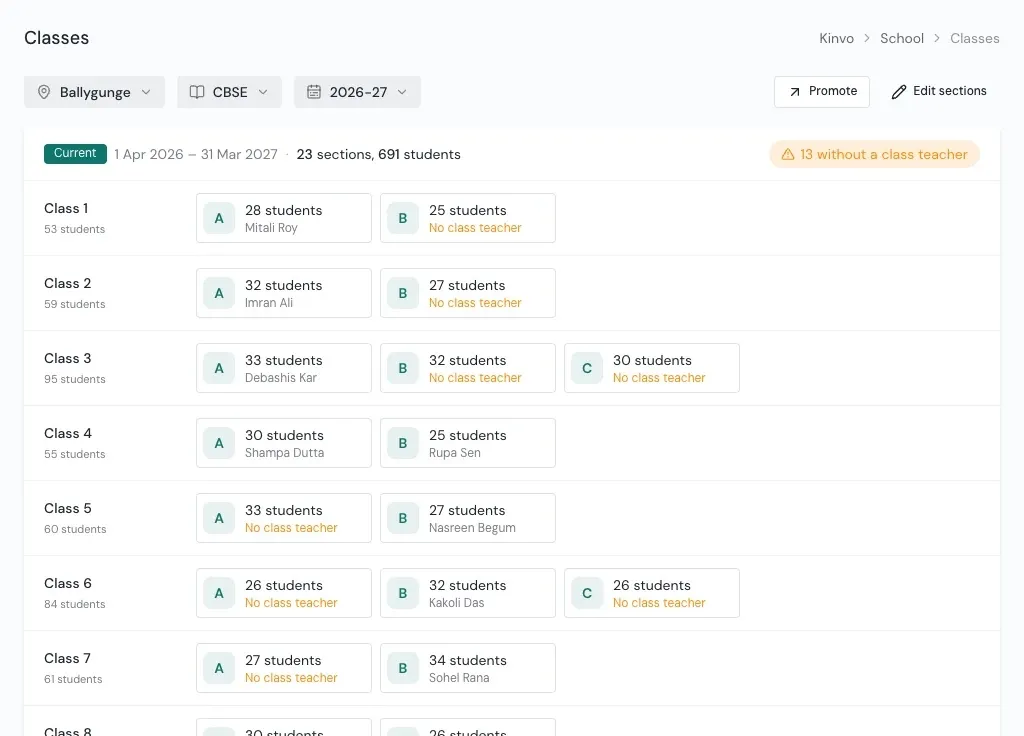
Sections and class teachers
Each branch runs its own sections each session, with a class teacher for each. Start next session from last year's in one step.
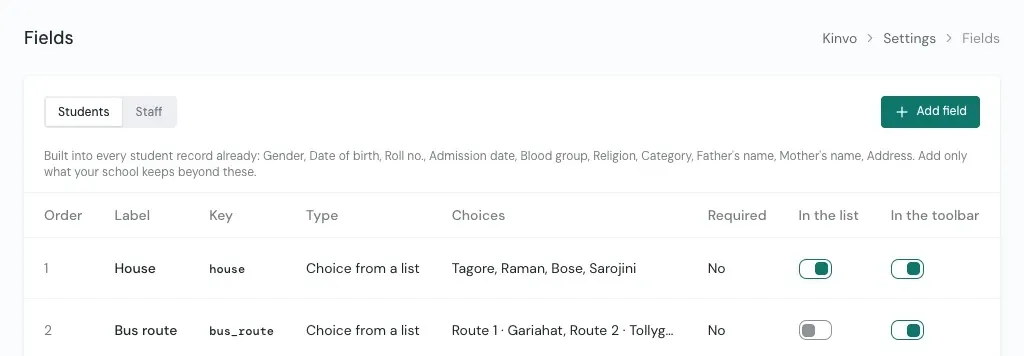
Your school's own fields
House, bus route or anything else you keep. Text, number, date, yes or no, or a choice, shown as a column or a filter.
Questions
About students and classes
Do we need a special template to import students?
What happens if some rows in the file are wrong?
How long does it take to add one new student?
Can one school run more than one board?
What happens to a student who leaves?
See Kinvo with your own student list.
Send us the Excel file you use today. We import it and walk you through your own school on a call.