Everyone signs in as themselves. Everyone sees only their work.
Teachers, wardens, gatekeepers and the office each get their own sign-in and their own menu. You decide what each person may do, branch by branch, and Kinvo writes down who opened what.
Three levels
From one permission to the whole school.
A new staff member starts with nothing ticked. Give them exactly what their job needs.
For example, a class teacher at Behala might see students at Behala. A warden might see the hostel and take the roll call at their branch.
- Staff
- Exactly the permissions you tick, at the branches you pick, and nothing else.
- Branch admin
- Everything at the branches you choose.
- School admin
- The whole school, settings included. Only a school admin can make or change an admin.
- Every branch
- Work that goes across the school, such as school details, is given under Every branch.
A staff member's page
One page per person, no tabs.
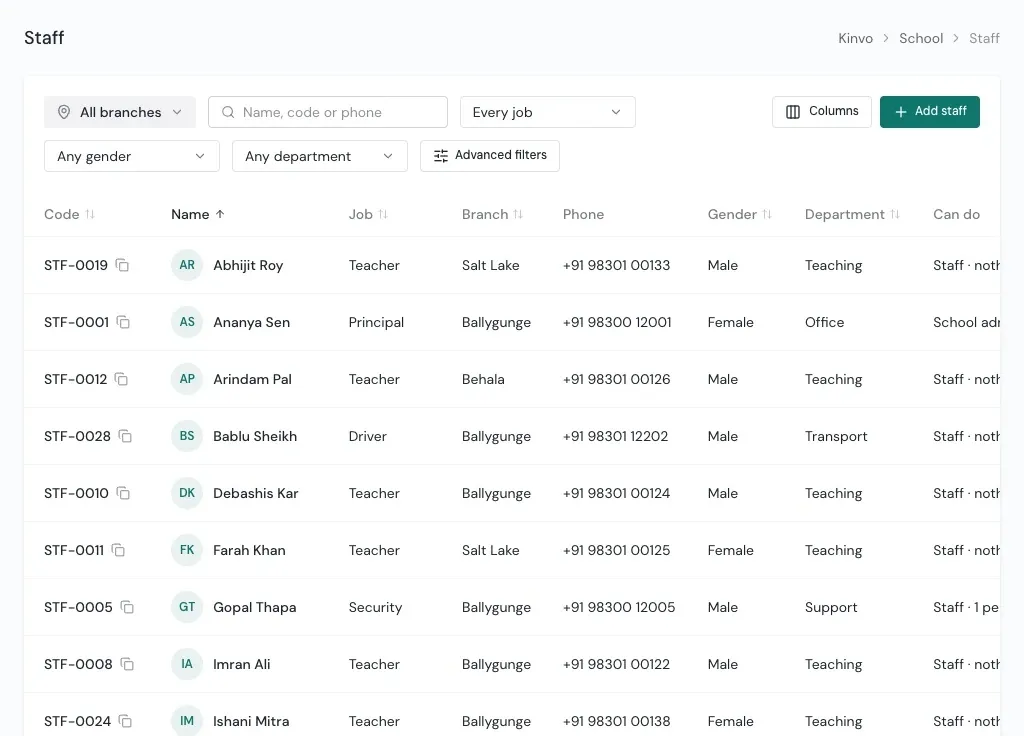
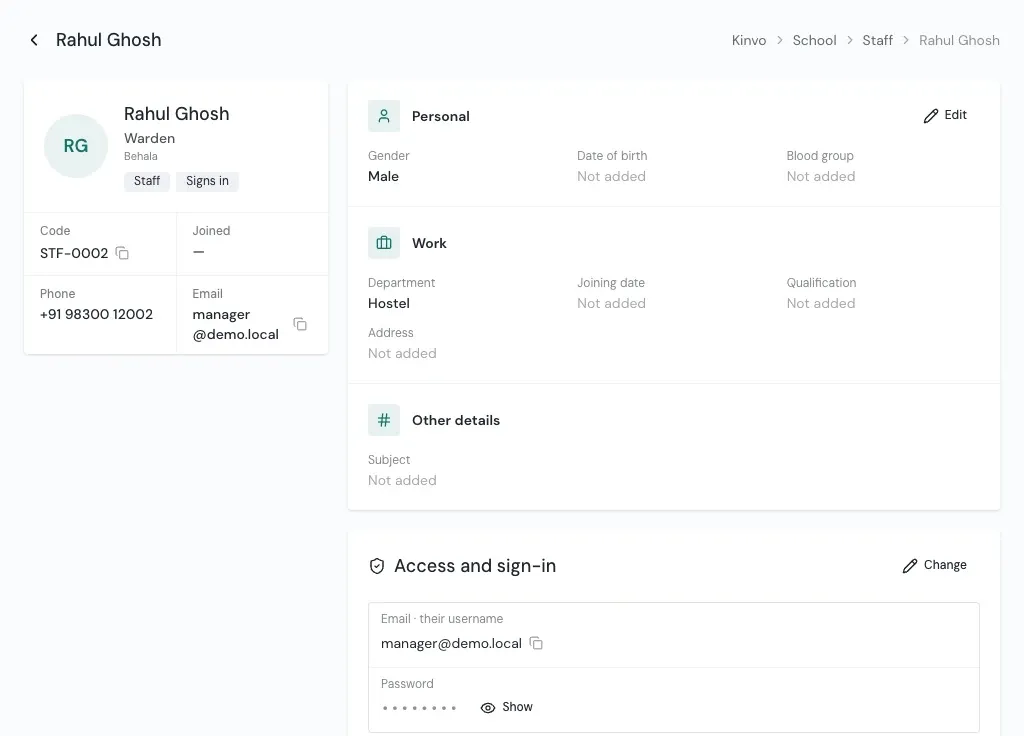
Their card with job, branch and level, then personal, work, address and your own details, each changed in place. Access and sign-in sit at the foot.
- Everyone who works at the school can be on the list. Those with an email can sign in.
- Leave the email empty for someone who will not use Kinvo, such as a cook or a driver.
- The Can do column on the list sums up each person's access in a few words.
Sign-in and passwords
Handled at the branch, written in the log.
Give a password
Type one of at least 8 characters, or let Kinvo make one. Share it with the staff member.
Show it when needed
Someone allowed to can show it later. The access log keeps that they saw it.
Reset a forgotten one
Set a new password. The old one stops working and they are signed out everywhere.
Access log
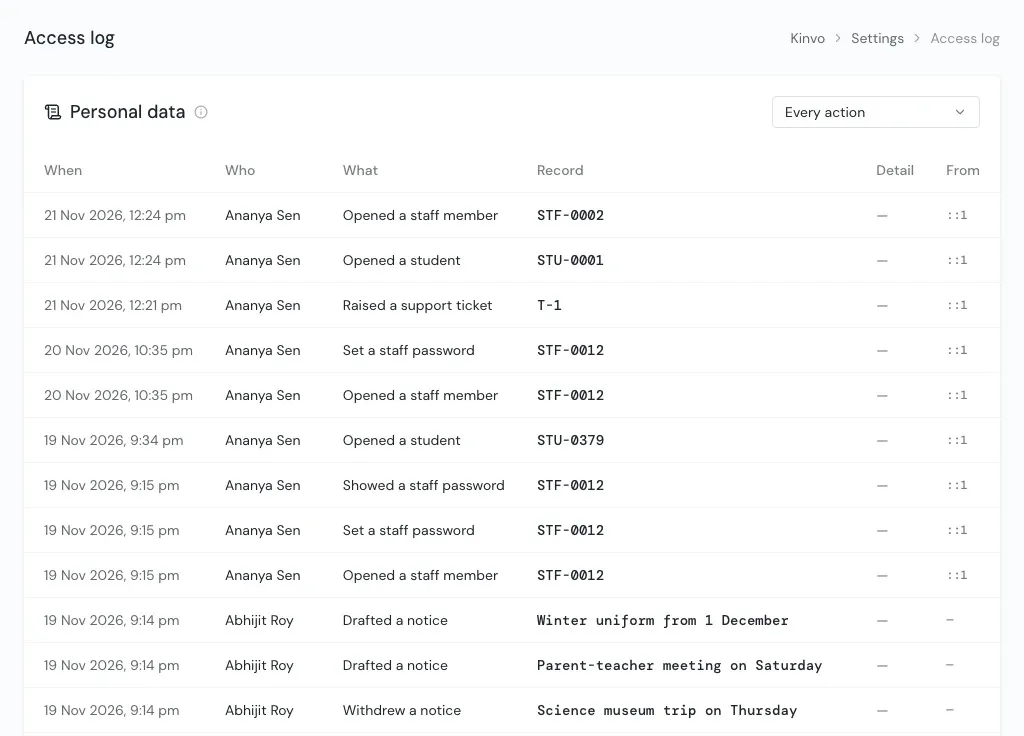
Who opened or changed personal details, and when.
Each line says when, who, what they did, the record's code, which fields changed and where it came from. Never the values: a changed phone number shows as "phone", not the number.
The log is kept for a year, then deleted by itself.
Questions
About staff and access
Does every staff member get their own login?
Can a teacher be limited to one branch?
How quickly do permission changes apply?
Can we see who viewed a password?
See Kinvo with your own student list.
Send us the Excel file you use today. We import it and walk you through your own school on a call.