An app for every student, with your school's name on it.
Every student can sign in from the day they are added, with their student code. The portal installs from the browser to the home screen, so there is nothing to download from a store.
8:05Sunrise
Second-term fees due by 30 NovemberFees · Every student · Ballygunge and Behala
Holiday on Friday for Guru Nanak JayantiHoliday · Everyone · Every branch
HomeNoticesMy details
The demo school's notices, as a Class 1 day scholar at Ballygunge would see them.
What students see
Their own record, and nothing else.
- Notices meant for them
- Only notices sent to their class, branch or to boarders, pinned and newest first, with the files attached.
- Their details and family
- As the office keeps them. If something is wrong, the portal tells them the office keeps their record.
- Each part of Kinvo
- What the hostel, calling home and visitors know about them, for the features your school uses.
- Install
- One tap adds it to the phone's home screen, like an app.
Sign-in
Ready the day a student is added.
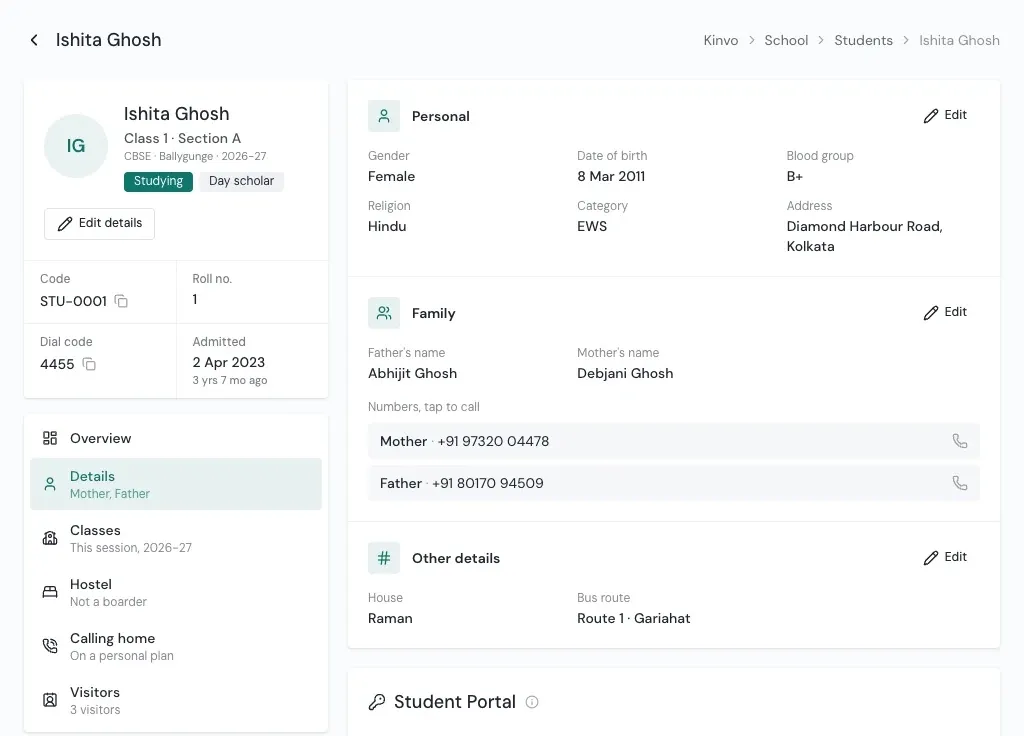
Their username is their student code, and Kinvo makes their password. Staff allowed to manage student sign-ins see it under Student Portal on the student's page.
- Show the password to share it with the student or family. The access log keeps that you saw it.
- Reset a forgotten one. The student gets a new password and is signed out on every device.
- Switch off Can sign in to stop a student signing in, and on again to let them back.
- The card shows when they last signed in, or Not signed in yet.
Your own address
Your school's name, logo and web address.
The portal carries your school's name, logo and app name. It can also run on your own domain, such as students.yourschool.in, beside its Kinvo address.
- Student Portal
- yourschool.kinvo.org, or your own domain
- Staff hub
- hub.yourschool.kinvo.org, or your own domain
Questions
About the Student Portal
Do students need to download an app from the Play Store?
No. The Student Portal opens in the phone's browser and installs to the home screen from there, like an app.
How does a student sign in?
With their student code as the username and a password Kinvo makes for them. The school shares it with the student or their family.
What happens when a student leaves the school?
A former student cannot sign in. Their records stay with the school.
Can the portal use our school's own web address?
Yes. A school can have its own address for the Student Portal and for the staff hub, in addition to its Kinvo addresses.
See Kinvo with your own student list.
Send us the Excel file you use today. We import it and walk you through your own school on a call.