A notice that reaches exactly who it should.
Write it with headings, lists and links, attach the timetable, and choose its readers: students, staff or both, by branch and class, or boarders only. Post it now or at a set time.
Post a notice
Three parts, and a sentence that checks you.
The notice
Title, category such as Holiday, Exam or Fees, and the text with headings, lists, bold and links. Up to five files.
Who reads it
Students, staff or both. Its branches. For students, whole classes of any board, or boarders only.
When
Now or a set date and time, a last day after which it leaves the board, and whether it is pinned.
Reaches
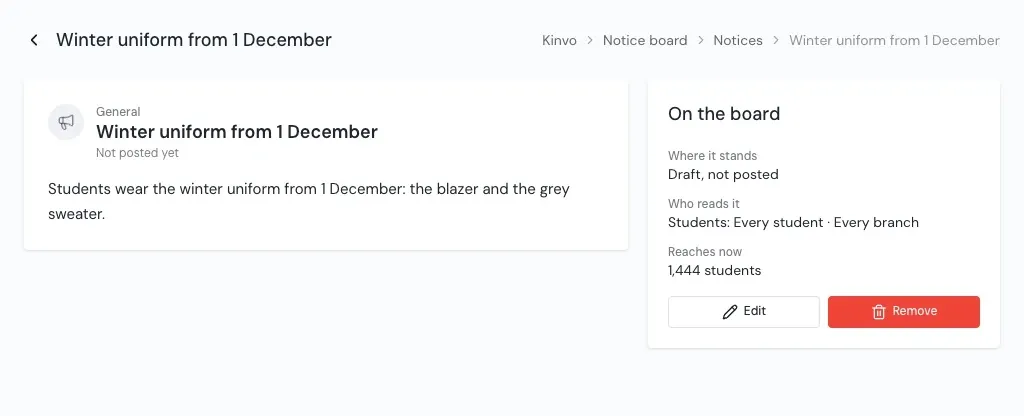
1,444 students · Students: Every student · Every branch
The bar under the form says how many it reaches, and who, in words.
The board
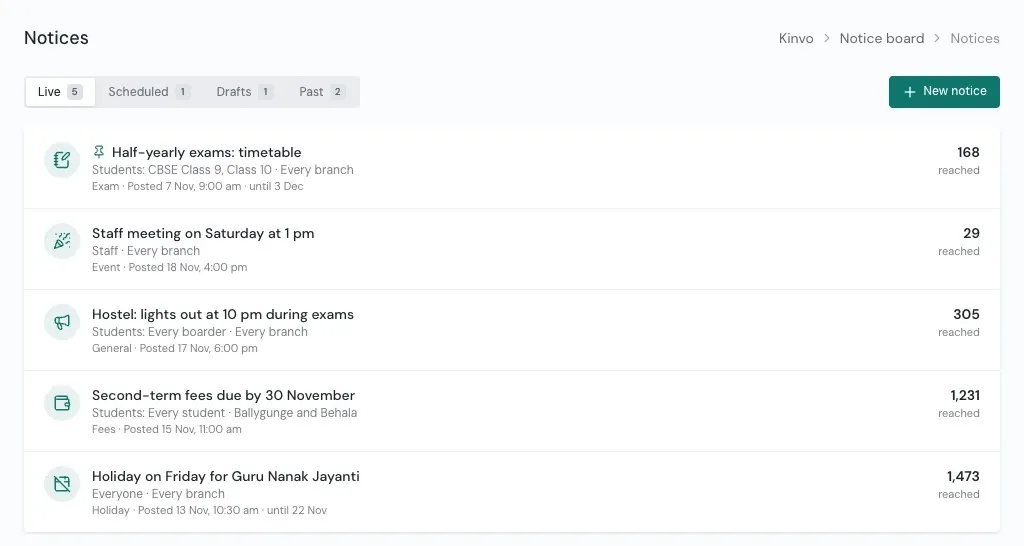
Live, scheduled, drafts and past.
Each notice shows its category, who it reaches in words, where it stands, and how many it reached. Open one to see it as its readers do.
- Edit a live or scheduled notice. Its readers stay the same.
- Withdraw a live notice to take it off the board.
- A draft is seen only by the office until it is posted.
- Students read their notices in the Student Portal, pinned and newest first, with files to open.
Questions
About the Notice board
Can a notice go only to some classes?
Can we attach files?
Can a notice be scheduled?
Can we change who reads a notice after posting?
See Kinvo with your own student list.
Send us the Excel file you use today. We import it and walk you through your own school on a call.